From the call to the code.
Every screen here is the real app, with example data.
01 · on you
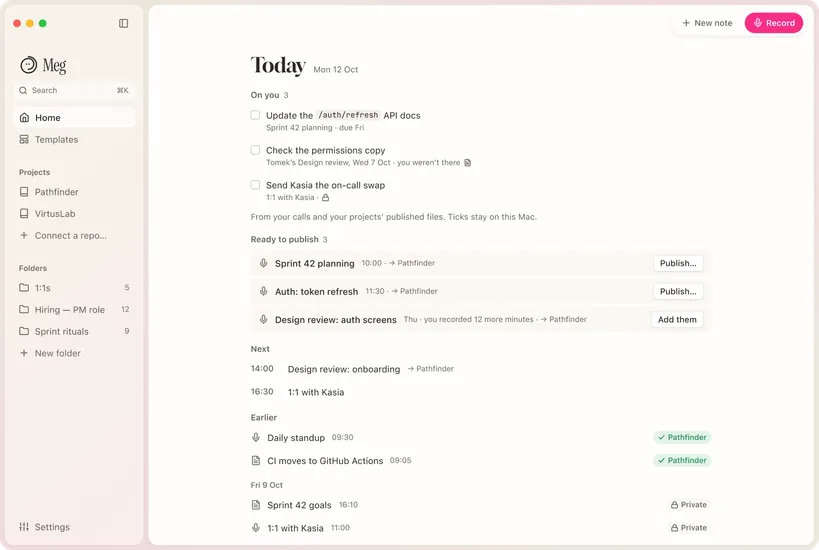
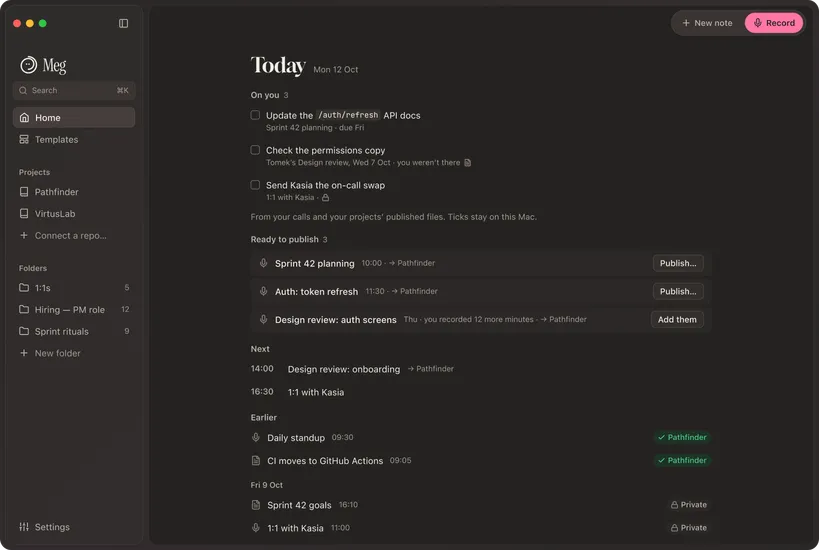
Know what you agreed to build.
Home lists what’s on you from every call, what’s ready to publish, and what’s next. Ticks stay on your Mac.
02 · the call
Record when you say.
Click Record or press Control Option Command R
No bot joins. Audio is never saved. Tell people you’re taking notes.
03 · during
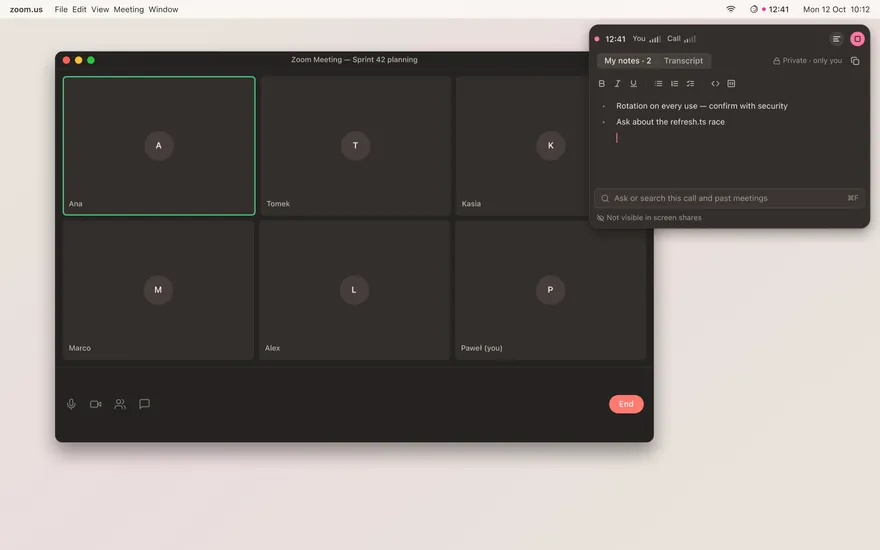
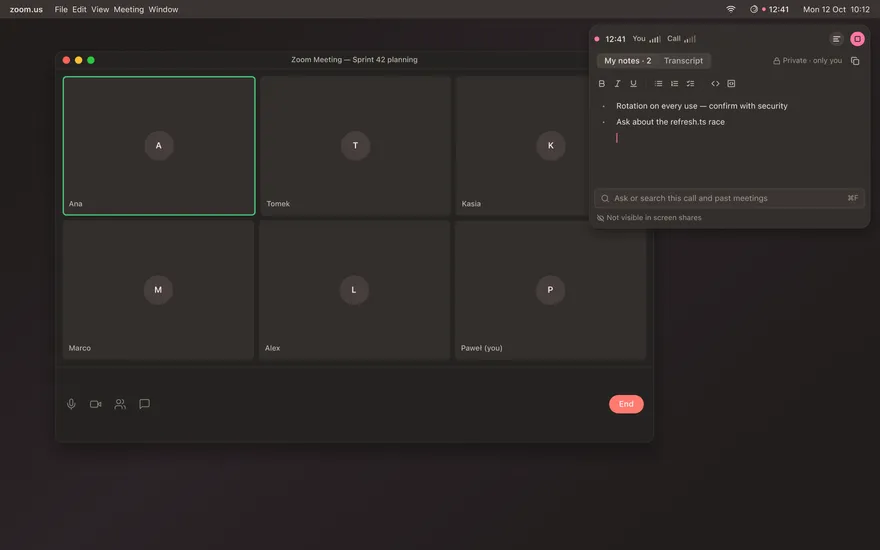
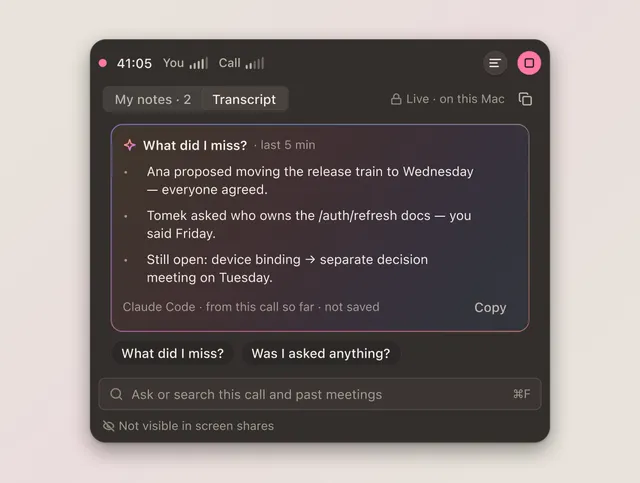
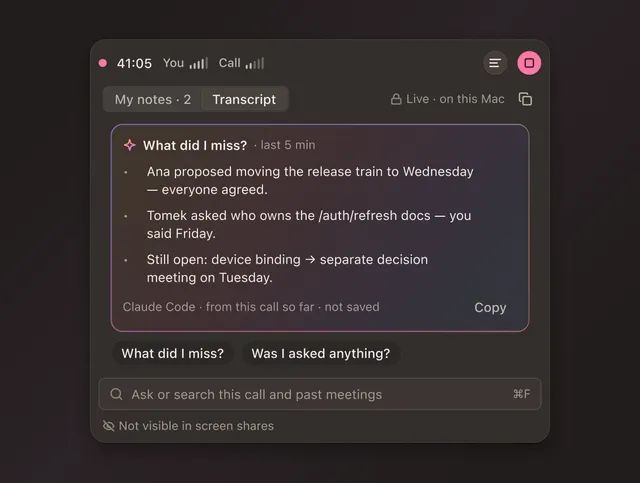
Catch up without asking.
The transcript runs live. Ask “What did I miss?” or search this call and past meetings with ⌘F. The panel doesn’t show in screen shares.
04 · after
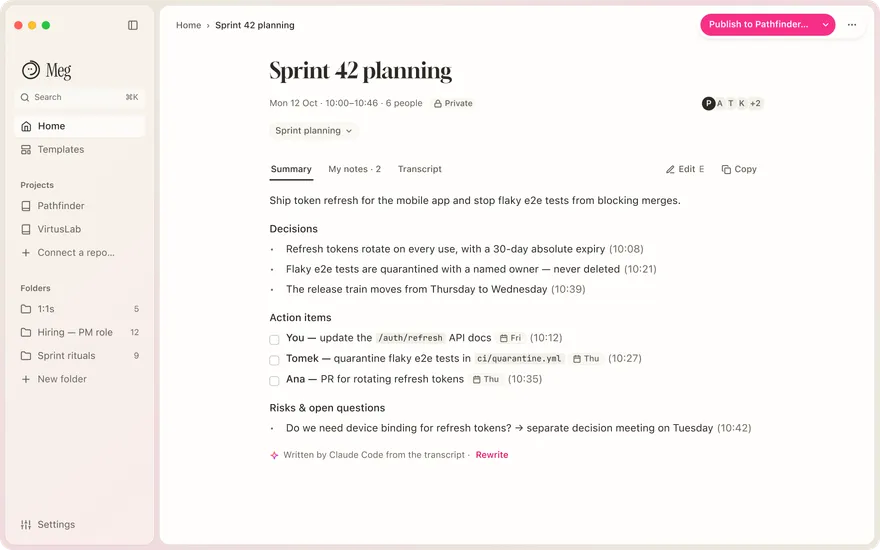
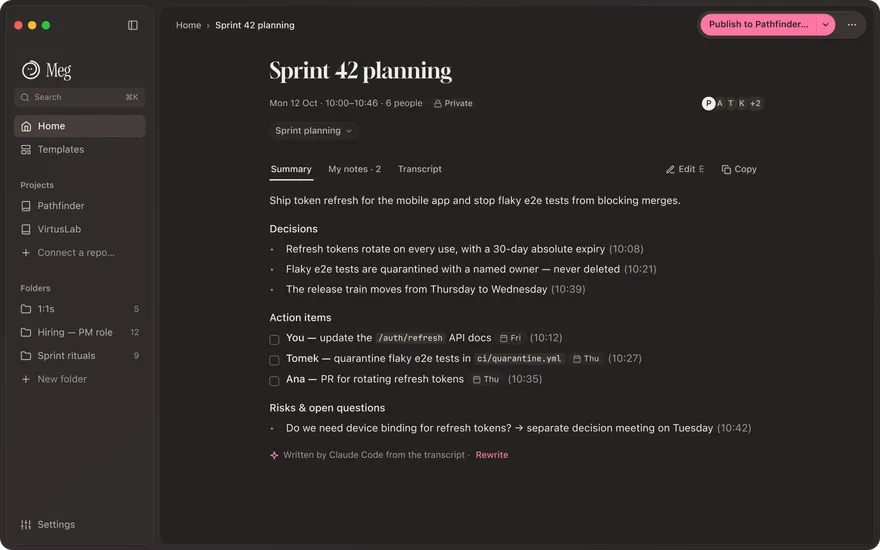
Your AI writes the summary.
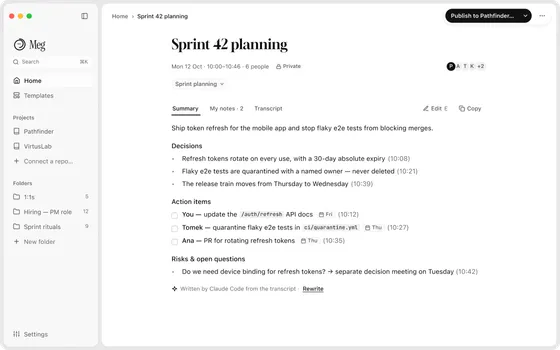
Decisions, action items with owners, open questions. Written from the transcript and signed with the AI’s name. It opens in Read mode; Edit when you want.
| Your AI | Who sees the transcript |
|---|---|
| On-device | nobody, it stays on your Mac |
| Claude Code | Anthropic, through your account |
| Codex CLI | OpenAI, through your account |
| API key | that key’s provider |
05 · publish
One Markdown file per meeting.
Pick the project in the Publish button. Meg writes the file to your team’s meetings repo through its GitHub App, or creates <project>-meetings for you. Teammates who recorded more minutes add them.
Meg’s GitHub App sees only the repos you choose, and writes only when you press Publish. [owner: the App’s exact permissions, e.g. Contents read and write, Metadata read]
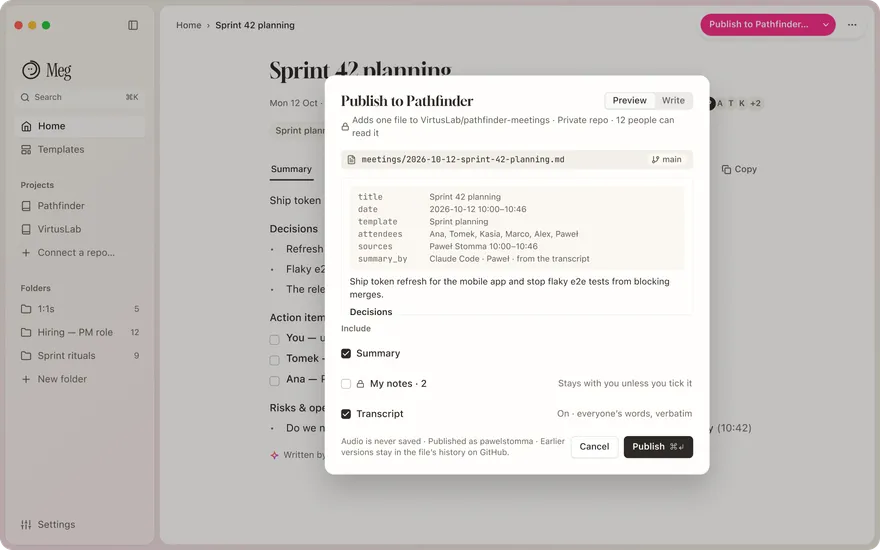
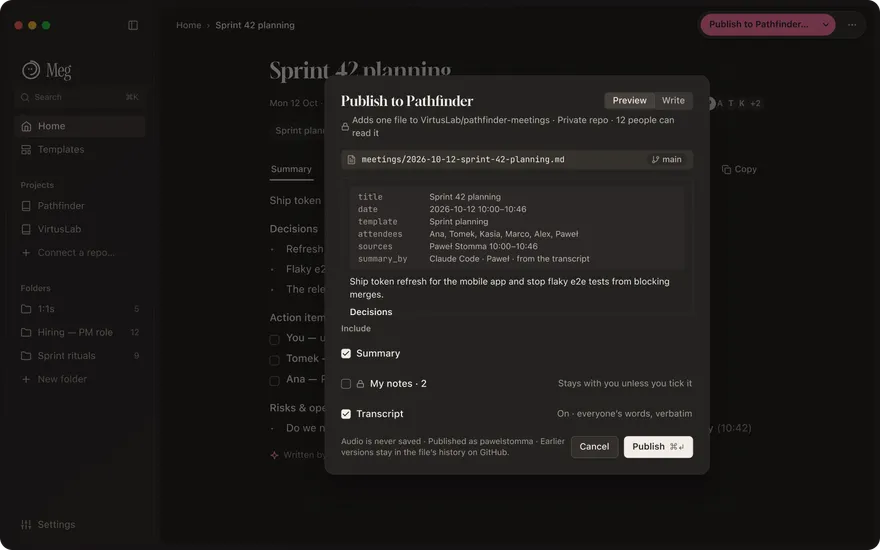
meetings/2026-10-12-sprint-42-planning.md
---title: Sprint 42 planningdate: 2026-10-12 10:00people: [Paweł, Kasia, Tomek]summary_by: claude-code---
## Decisions- Rotate refresh tokens on every use.- 30-day absolute expiry.
## Action items- [ ] Update the /auth/refresh docs · Paweł · Fri
06 · in your code
Your meetings, inside your coding tools.
A small read-only server on your Mac (meg-mcp) with three tools: search, get, recent. Setup does this for you:
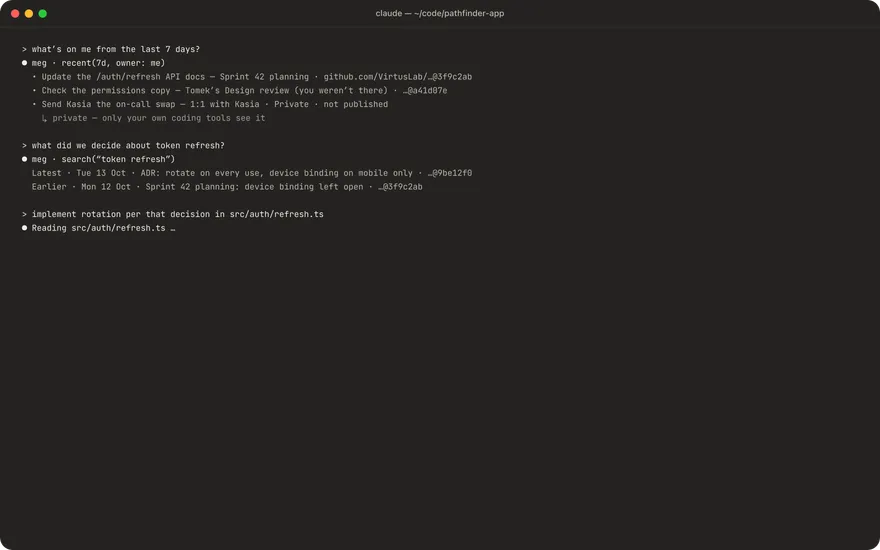
claude mcp add --scope user meg -- /Applications/Meg.app/Contents/MacOS/meg-mcpCoding tools see your published meetings and your own private ones. Never My notes. Teammates’ tools never see your private meetings. To keep private meetings out, turn off Include my private meetings in Settings › Coding tools.
07 · for teammates
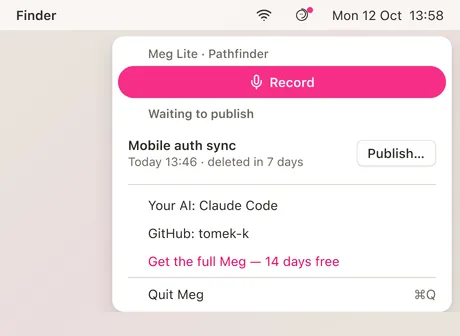
Meg Lite: free for your team.
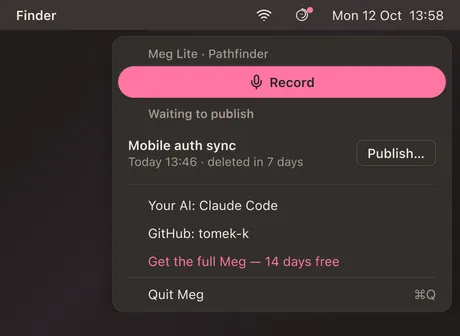
Same download. Opened from your invite link, Meg becomes a menu-bar recorder with two jobs: Record and Publish. Anything not published in 7 days is deleted.
08 · the details
The details.
⌘K for everything
Search, jump and act from one palette.
Folders
Private to you, one level deep.
Light, dark and seven colours
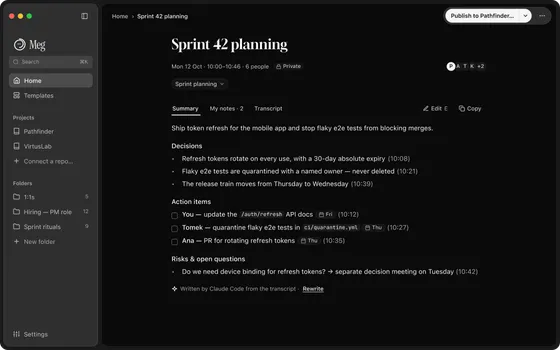
Pink, red, orange, yellow, green, blue or purple, in light or dark.
Newspaper
Black and white, down to the Dock icon. For when pink is too much.
Not in screen shares
The call panel stays off the screen you share.
Plain Markdown on your Mac
A folder per meeting: summary.md, notes.md, transcript.md. Edit them in any app; Meg picks up the change.
~/Meg
09 · install
Get Meg.
14 days free · no account · €89 once · macOS 14.2+ · Apple silicon
Meg is a Mac app · macOS 14.2+ · Apple silicon
brew install --cask <org>/tap/megSigned and notarized. macOS 14.2+, Apple silicon. Checksum and release notes on the download page.
Try it on your next call.
14 days free · no account · €89 once · macOS 14.2+ · Apple silicon
Meg is a Mac app · macOS 14.2+ · Apple silicon