Never lose the thread.
Meeting notes for people who’d rather be coding. Meg transcribes on your Mac, your own AI writes the summary, and nothing reaches your team until you publish one Markdown file to GitHub.
14 days free · no account · €89 once · macOS 14.2+ · Apple silicon
Meg is a Mac app · macOS 14.2+ · Apple silicon
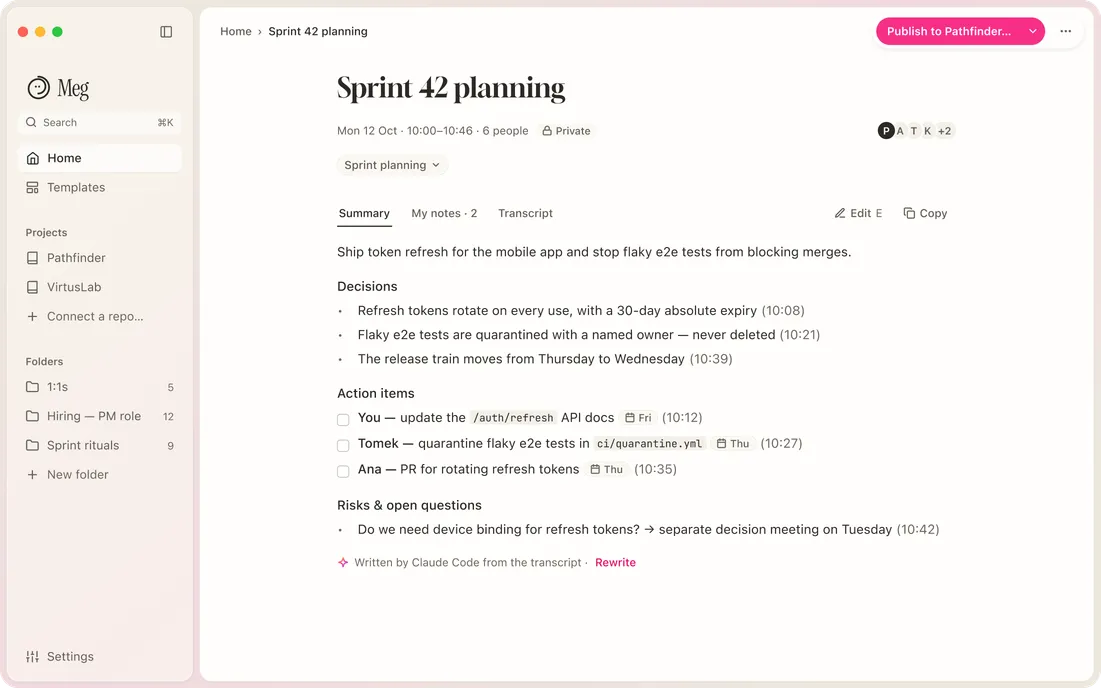
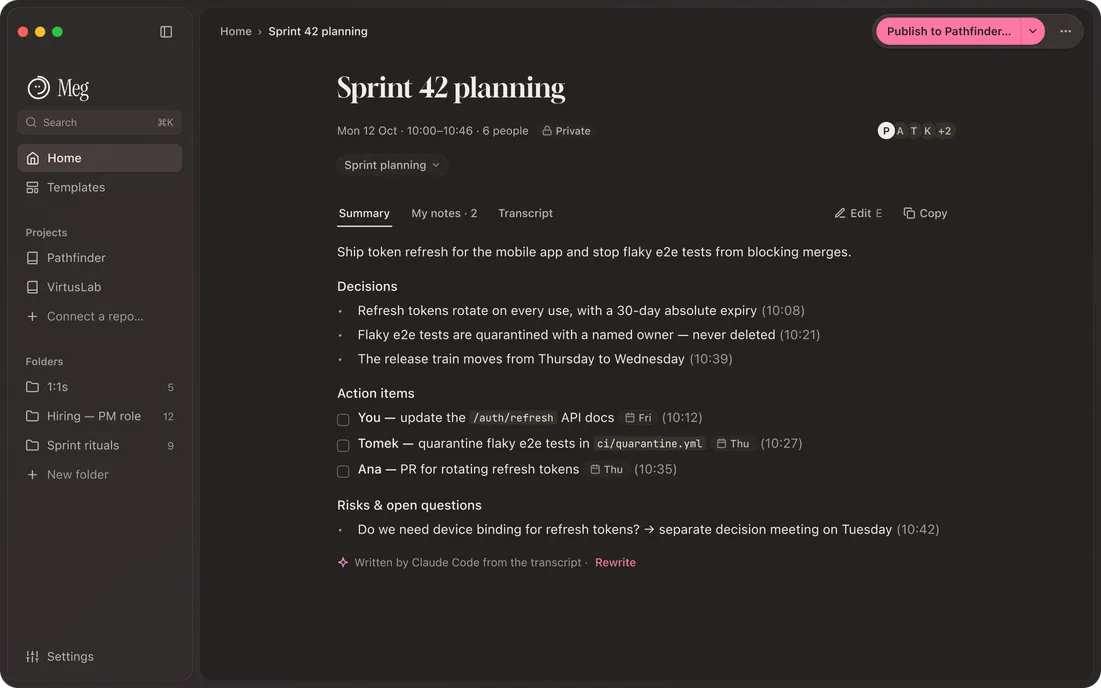
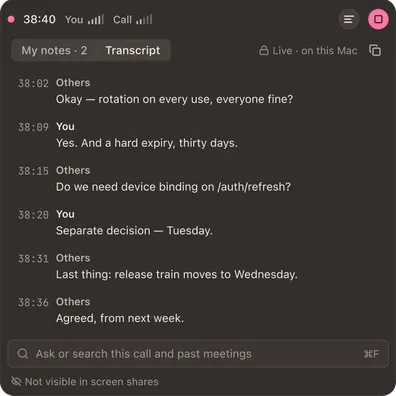
No bot in your call.
Meg hears the call through your Mac’s sound and mic. Audio is never saved, only the text.
Your AI writes it.
Claude Code, Codex CLI, an API key, or On-device. No AI bill from us: Meg uses the AI you already have.
Plain Markdown in your repo.
One file per meeting in your team’s GitHub repo. Git keeps every version. Teammates read it without Meg.
01 · what you get
Share the file. Keep your notes.
You see the exact file before it leaves. Summary and transcript by default, My notes only if you tick them. Then ask Claude Code about it while you code.
meetings/2026-10-12-sprint-42-planning.md
---title: Sprint 42 planningdate: 2026-10-12 10:00people: [Paweł, Kasia, Tomek]summary_by: claude-code---
## Decisions- Rotate refresh tokens on every use.- 30-day absolute expiry.
## Action items- [ ] Update the /auth/refresh docs · Paweł · Fri
claude — ~/code/pathfinder-app
> what did we decide about token refresh?● meg · search(“token refresh”)  Latest · Tue 13 Oct · ADR: rotate on every use, device binding on mobile only · …@9be12f0  Earlier · Mon 12 Oct · Sprint 42 planning: device binding left open · …@3f9c2ab
> implement rotation per that decision in src/auth/refresh.ts● Reading src/auth/refresh.ts …
In a public repo the transcript starts unticked. 1:1s are never published. Coding tools can read, not edit or publish; your coding tool’s AI provider sees what it reads.
See every screen →Where your meeting goes
Your Mac
Audio is never saved. Transcript, summary and My notes stay here until you publish.
Your AI
Writes the summary from the transcript and calendar details. Pick On-device and it’s written on the Mac too.
Your repo
Only what you publish, after a preview of the exact file.
Your coding tools
Search your published meetings and your own private ones while you code.
€89 once.
14 days free first. No account, no card. Teammates record free with Meg Lite.
See pricing →Questions
Does Meg keep the audio?
No. It transcribes as you go and never saves the audio.
Which AI writes the summary?
The one you pick. A cloud AI receives the transcript and calendar details to write it; On-device keeps even that on your Mac.
Does my team need Meg?
No. They read the file in GitHub. Teammates who record use Meg Lite, free.
Which call apps does it work with?
[owner: the call apps the call-start card detects, e.g. Zoom, Google Meet in a browser, Teams, Slack huddles. Say “any app that plays sound on your Mac” only if that is true.]
What happens after 14 days?
Recording pauses. Everything you recorded stays readable, searchable, publishable and in your coding tools.
What do I need?
A Mac with Apple silicon and macOS 14.2 or later. A GitHub account when you first publish. [owner: what On-device needs beyond that: macOS version, memory, a model download?]
Try it on your next call.
14 days free · no account · €89 once · macOS 14.2+ · Apple silicon
Meg is a Mac app · macOS 14.2+ · Apple silicon